 Evergreen
 Personal CRM for Mac, iPhone, and iPad
Remember the people
who matter.
Track relationships, conversations, and follow-ups in a fast native app. Your contacts stay on your devices, sync only through your own iCloud, and your AI assistant reads them locally. We have no account system and we never see your contacts.
One purchase for Mac, iPhone, and iPad. No Evergreen account. Optional sync is $1.99/month.
Requires macOS 15 or iOS 18 and later.

Every CRM is designed for salespeople. Evergreen is designed for you: someone who wants to keep track of the people in their life without drowning in enterprise software.
A real CRM, shaped around people instead of pipelines.
Contacts, conversations, follow-ups, and the connections between them. No deal stages, no funnels, no seats.
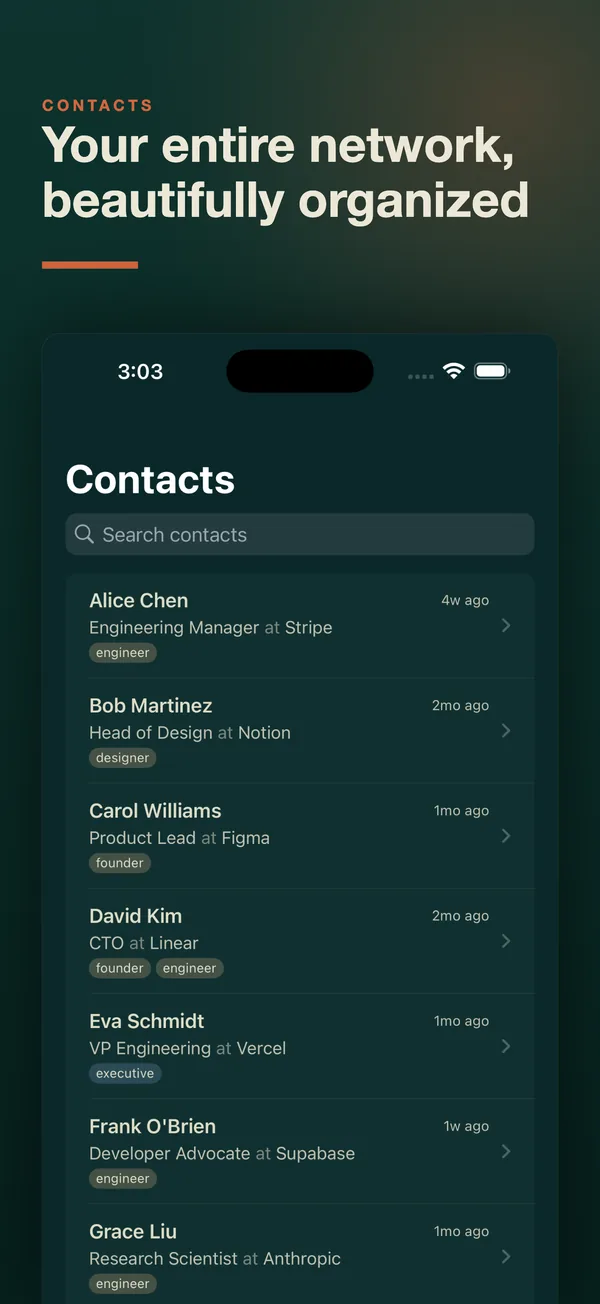
Your whole network at a glance
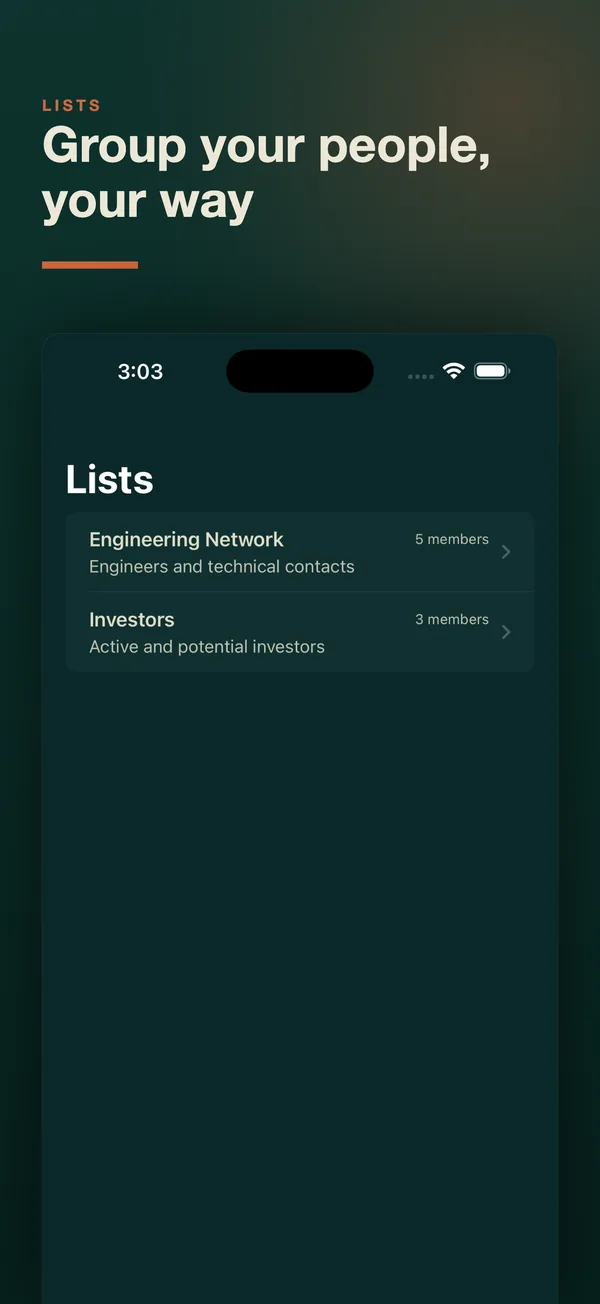
An information-dense contacts table built for people who know a lot of people. Name, organization, title, email, tags, location, and last interaction, all in one view. Group people into lists for the moments you need them together.
- Virtualized scrolling keeps thousands of contacts smooth.
- Resizable, reorderable columns and multi-sort on the Mac.
- Markdown notes with autosave on every contact.
- Lists for investor updates, newsletters, or a city's worth of friends.

Search the way you think
Type a name, describe who you are looking for, or stack tokens for precision. Results rank by relevance instead of vanishing when one filter doesn't match.
On the Mac, ⌘K opens a command palette to jump to a contact, run a command, or apply a filter.

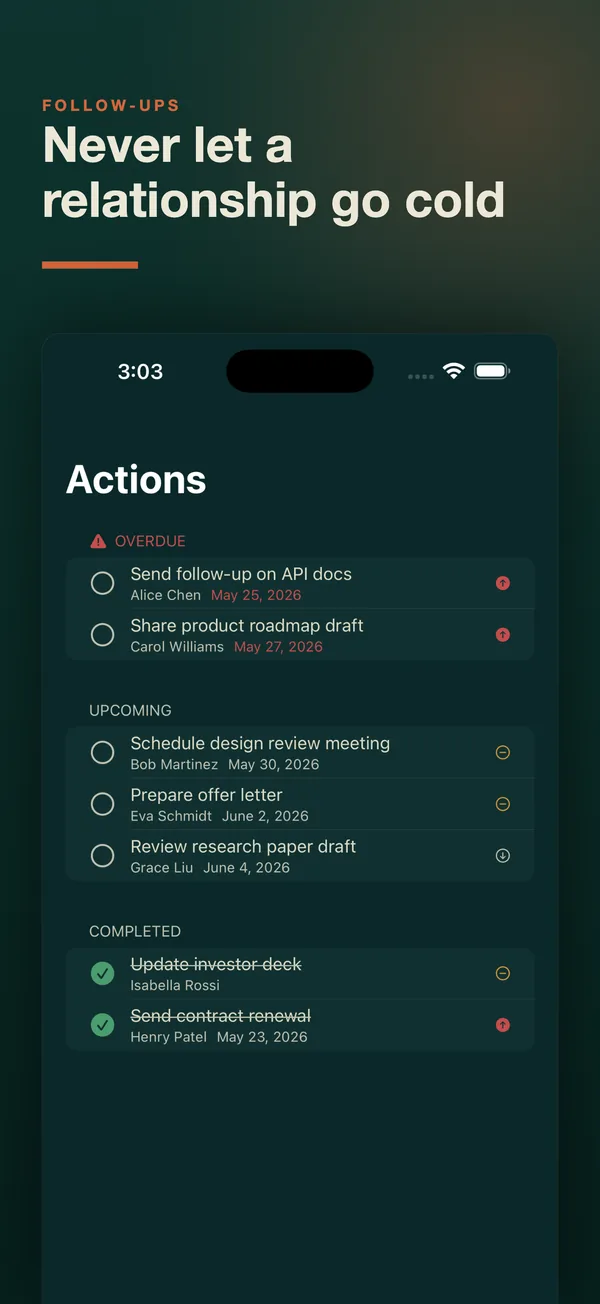
Never let a relationship go cold
Attach next actions with due dates to the people they belong to. Evergreen surfaces what is overdue and who has gone quiet too long.
- A menu bar quick-log on the Mac shows who is overdue without opening the app.
- Home Screen and Lock Screen widgets on iPhone and iPad, with one-tap snooze and complete.
- Shortcuts and Siri: log a call, ask who you're overdue with, or snooze a reminder.

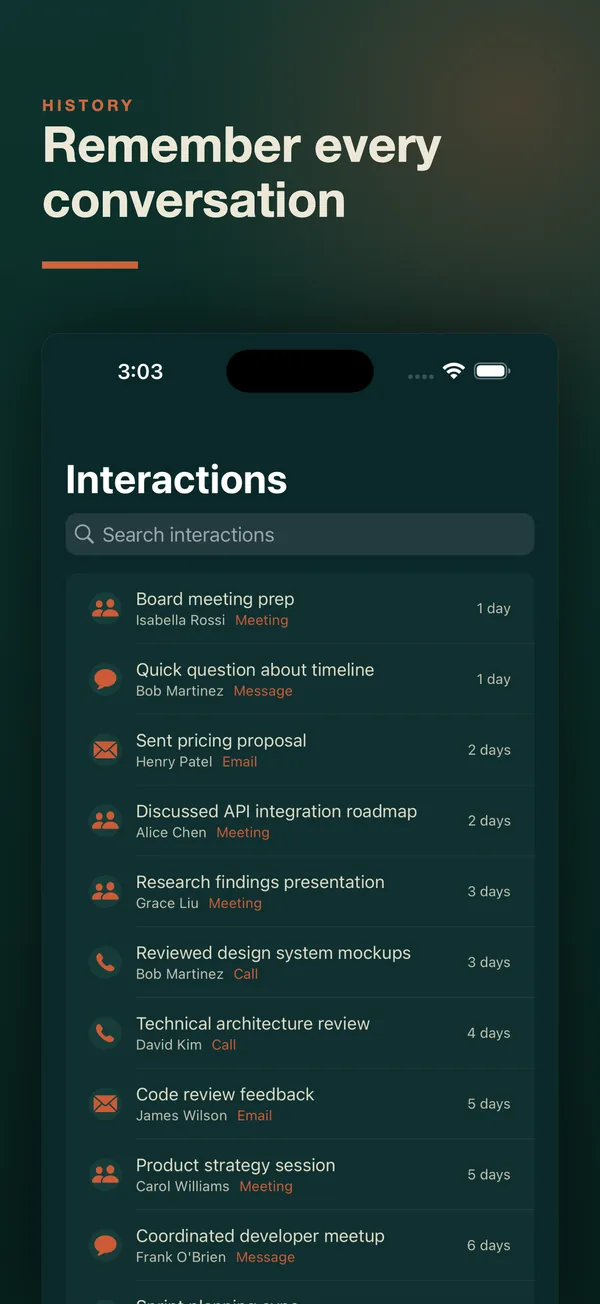
Every conversation, in one timeline
Log meetings, calls, emails, DMs, and notes against each person. Next time you talk, you'll know exactly where you left off.
- A timestamped history per contact and across your whole network.
- Spotlight indexes your contacts on Mac and iPhone.

See how your people connect
Record who works with whom and who introduced you. The network graph shows the clusters in your world and the people who bridge them.
- Relationships like "works with" and "introduced".
- An interactive network graph on the Mac.

Your network, organized in minutes. No sign-up, no import wizard, no sales pipeline.
Get Evergreen for $9.99Log the conversation while you're still in the lobby.
The Mac is your workstation. The iPhone and iPad apps go everywhere else: search your network, open a contact, add or edit someone, log an interaction, and check off a follow-up. One purchase covers all three.
The network graph, duplicate merge, import and export, and the MCP server are on the Mac.
Your network lives on your devices.
When it syncs, it syncs through your iCloud, not ours.
No account system
Nothing to sign up for. We never see your contacts, and there is no server of ours holding them.
Local-first
Your data is stored on your device by default. The app is fully functional on one device.
Your iCloud, not ours
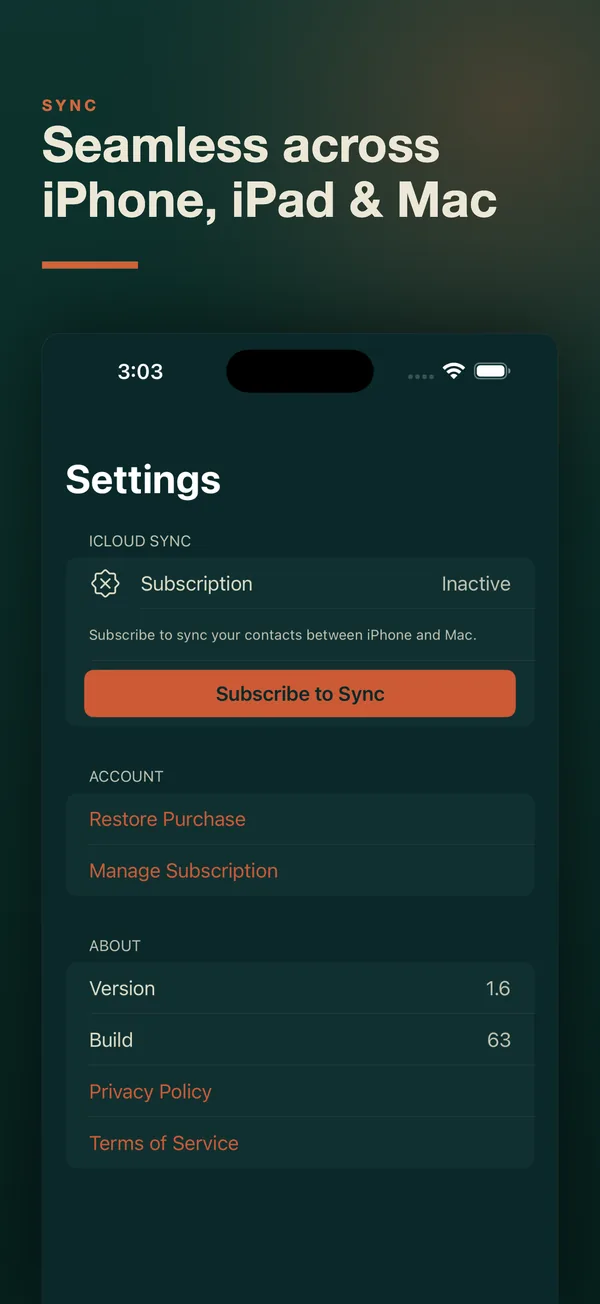
Optional Evergreen Sync runs through your own private iCloud using Apple's CloudKit. We never have access to it.
No tracking
No ads, no tracking, no telemetry. The App Store privacy label reads "Data Not Collected."
Point your AI assistant at your actual network.
Evergreen bundles a Model Context Protocol server on the Mac. Claude, Cursor, and other MCP clients can search your contacts, log interactions, and manage follow-ups directly, with no API key and no network hop. Every agent action is attributed and logged.
> Which investors haven't I talked to in 90 days?
  Draft a check-in for the top three.

● evergreen-crm · search_contacts  tag:investor
● evergreen-crm · get_contact_interactions  ×12

Three investors have gone quiet:
  Samuel Reyes   last spoke 118 days ago
  Nora Eriksen   last spoke 104 days ago
  Sofia Rossi    last spoke  96 days ago

Drafts below, each picking up the last thing
you talked about…
MCP server
32 tools across contacts, interactions, follow-ups, relationships, and introductions. Runs locally on the Mac.
Setup guide →On-device Apple Intelligence
Optional natural-language search, note cleanup, tag suggestions, and an "Ask Evergreen" assistant, processed on-device. Every suggestion needs your OK. Requires a supported device.
Claude skills
18 open-source skills for meeting prep, follow-up drafts, warm introductions, relationship health, and weekly reviews.
On GitHub ↗People whose network is their work.
Founders
Investors, advisors, early customers, and the people who introduced you to all of them.
Investors
Founders you've met, co-investors, and the follow-ups you promised after the coffee.
Freelancers and consultants
Client relationships and follow-ups, with no enterprise overhead and no sales pipeline to pretend you have.
Job seekers and recruiters
Who you've talked to, what they said, and when to check back in.
Community builders
Event attendees, speakers, and sponsors, grouped into lists and tagged by context.
Not sales teams
Evergreen is a personal tool. If you need shared pipelines and seats, a team CRM will serve you better.
Get Evergreen.
One purchase covers the Mac, iPhone, and iPad apps. Sync is a separate, optional subscription.
- Mac, iPhone, and iPad apps
- Contacts, timeline, follow-ups, lists, and network graph
- Built-in MCP server on the Mac
- Widgets, Shortcuts, and Spotlight
- Fully functional on a single device
- Keeps your CRM up to date across Mac, iPhone, and iPad
- Runs through your own private iCloud via CloudKit
- We never have access to your data
- Subscribe and manage from inside the app
Auto-renews monthly. Cancel any time in your Apple Account settings.
Frequently asked
What is a personal CRM?
A personal CRM is a contact manager built around relationships instead of sales. It remembers who you know, when you last talked, what you discussed, and what you promised to follow up on. Evergreen is a personal CRM for people with large networks who use Apple devices.
Do I need to create an account?
No. Evergreen has no account system. There is nothing to sign up for, and we never see your contacts.
Where is my data stored?
On your device by default. If you turn on Evergreen Sync, your CRM mirrors across your Mac, iPhone, and iPad through your own private iCloud using Apple's CloudKit. We never have access to it.
Do I need Evergreen Sync?
Only if you want the same network on more than one device. The app is fully functional on a single device without it. Sync is an optional auto-renewable subscription at $1.99 per month.
What can the iPhone and iPad apps do?
Search your network, view and edit contacts, add new people, log interactions, work with lists, and complete follow-ups. They also bring widgets, Shortcuts, and Spotlight. The network graph, duplicate merge, import and export, and the MCP server are on the Mac.
Which AI assistants work with Evergreen?
Any MCP client that speaks stdio, including Claude Desktop, Claude Code, and Cursor. The server ships inside the Mac app and runs locally with no API key. See the MCP setup guide.
How is this different from Monica, Mesh, or HubSpot?
Those tools need an account on somebody else's infrastructure. Evergreen needs none. The longer answer is on the CRM comparison page.
Does Evergreen track me?
No. The app has no ads, no tracking, and no telemetry. Read the privacy policy.
Can I export my data?
Yes. On the Mac you can export your whole dataset to a JSON file and import it again, so your data is never locked in.
What do I need to run Evergreen?
A Mac running macOS 15 or later, or an iPhone or iPad running iOS 18 or iPadOS 18 or later. On-device Apple Intelligence features need a device that supports Apple Intelligence.
Is there a Windows, Android, or web version?
No. Evergreen is built natively for Apple devices: Mac, iPhone, and iPad.
Who makes Evergreen?
Evergreen is made by Helton Labs, an independent software studio. Questions and support requests go to will@heltonlabs.com.
How Evergreen got here
Evergreen is built by Will McGinnis at Helton Labs. He writes about building it on his blog.
Stay in touch, on your terms.
$9.99 for Mac, iPhone, and iPad. No Evergreen account required.
Get it on the App Store